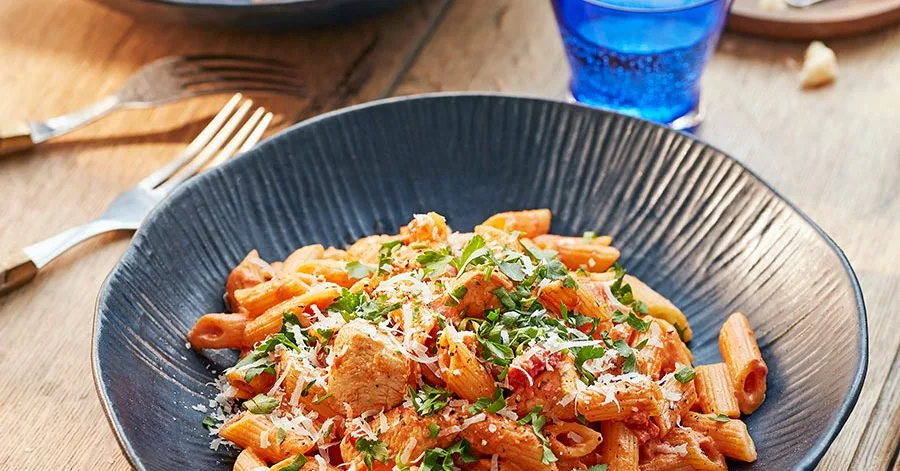
Cajun Chicken One-Pot Pasta
Prepare this crowd-pleasing Cajun chicken pasta for dinner. We were inspired by a creamy Alfredo sauce seasoned with Cajun spices to add a bit of heat.
Ingredients
6 serv.- olive oil↗1 tbsp tbsp
- chicken breasts↗400g g
cut into large pieces
- garlic cloves↗3
finely chopped or grated
- Cajun seasoning2 tbsp tbsp
- canned crushed tomatoes400g g
or paste
- chicken stock cube↗1
crumbled
- penne↗500g g
or other tubular pasta
- heavy cream150ml ml
- Parmesan↗20g g
finely grated, plus extra for serving
- lemon↗½
juiced
- chopped parsley↗
for serving (optional)
Step-by-step instructions
- 1
Heat the olive oil in a large, shallow pot or deep skillet over medium heat, then add the chicken, lightly season and sauté for 6–8 minutes, stirring occasionally, until it becomes lightly golden throughout – at this stage you don’t need to worry about it being fully cooked.
- 2
Add the garlic and cook for another 2 minutes, then sprinkle the Cajun seasoning and stir so the chicken pieces are evenly coated. Add the tomatoes, a quarter cup of water and the stock cube. Stir, bring to a gentle boil and cook for 5 minutes.
- 3
Meanwhile, bring a large pot of salted water to a boil and cook the pasta for one minute less than the package instructions. Add the cream to the chicken and continue a gentle boil. When the pasta is al dente, drain well and toss it with the chicken mixture. Let the pasta finish cooking in the sauce over low heat for another 2 minutes, then add the Parmesan and lemon juice and cook for 1 more minute. Serve the pasta straight from the pot or transfer to a large serving bowl. Garnish with parsley, if desired, and extra Parmesan.

The Prepka App Is Ready
All your recipes at your fingertips — in the Progressive Web App